 Hanji
From idea to action
Hanji explores clearer interaction between people and agents. Its current workspace brings exploration, execution and knowledge into one place. This guide follows a small fictional project, First mile, to show how the three surfaces can make context and decisions easier to understand. It is a worked example, not a customer result or a promise that every handoff happens automatically.
The question: How could a new teammate experience value before configuring a workspace?
1. Explore the question in Think
Create a canvas and write the question first. Add the alternatives, their trade-offs and what you need to learn. For First mile, Ada and Noor compare a guided setup with an editable starter project.
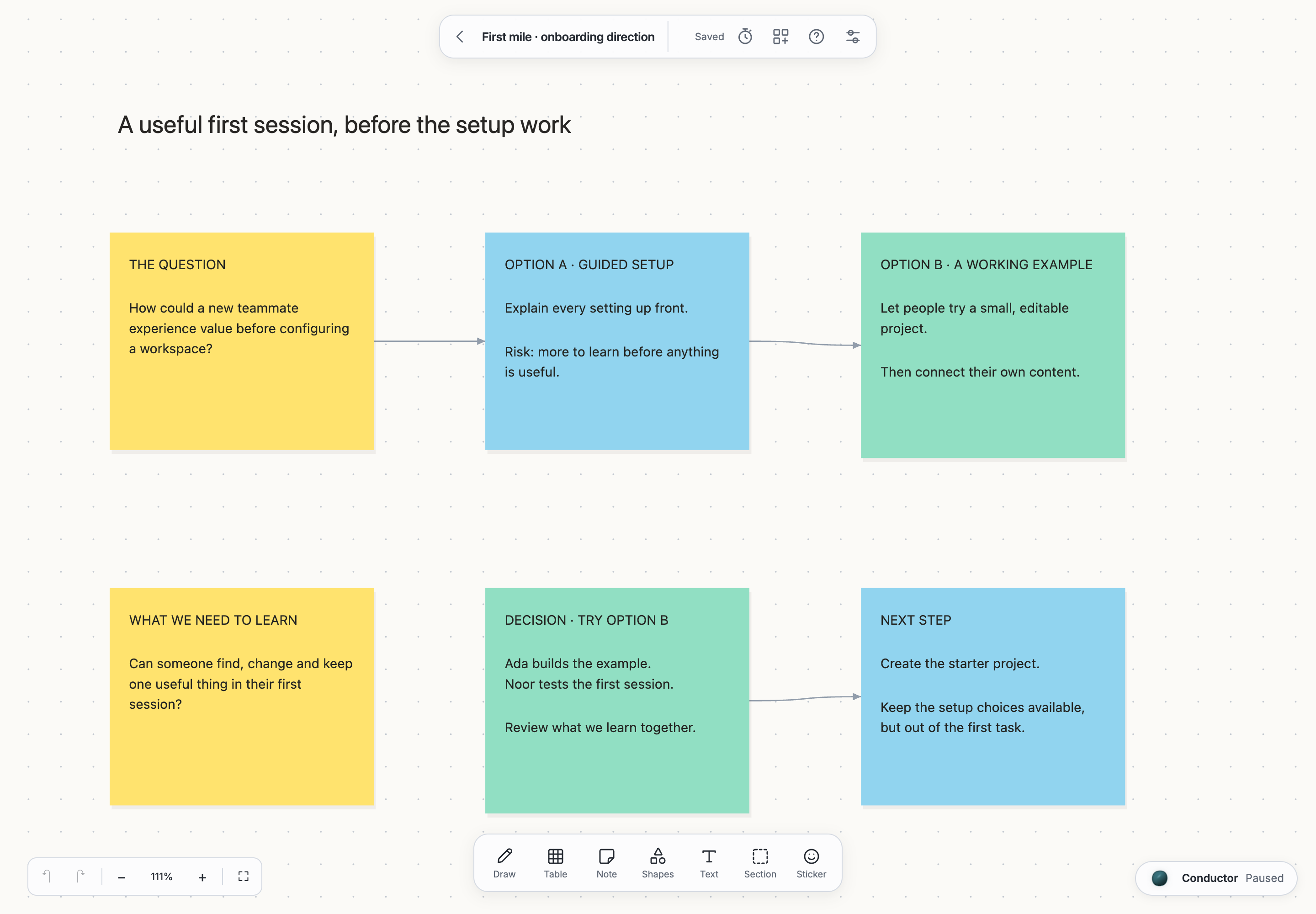
Keep the decision visible beside the alternatives: try a working example first. That preserves the reasoning when someone returns to the canvas later. Use notes and connectors directly; an agent is optional. Think canvas explains creation, editing and workshops.
2. Give the next step an owner in Plan
Select the next-step note and use Create issue. Choose the destination and review what will be created. In Plan, give the issue an owner and a clear completion condition. See Links and references for supported links and references.
For this example, the issue is Create the editable starter project. It is ready when the project opens with a clear first task, its content can be changed and removed, and imported work stays separate. A follow-up issue tests the first session in a fresh workspace.
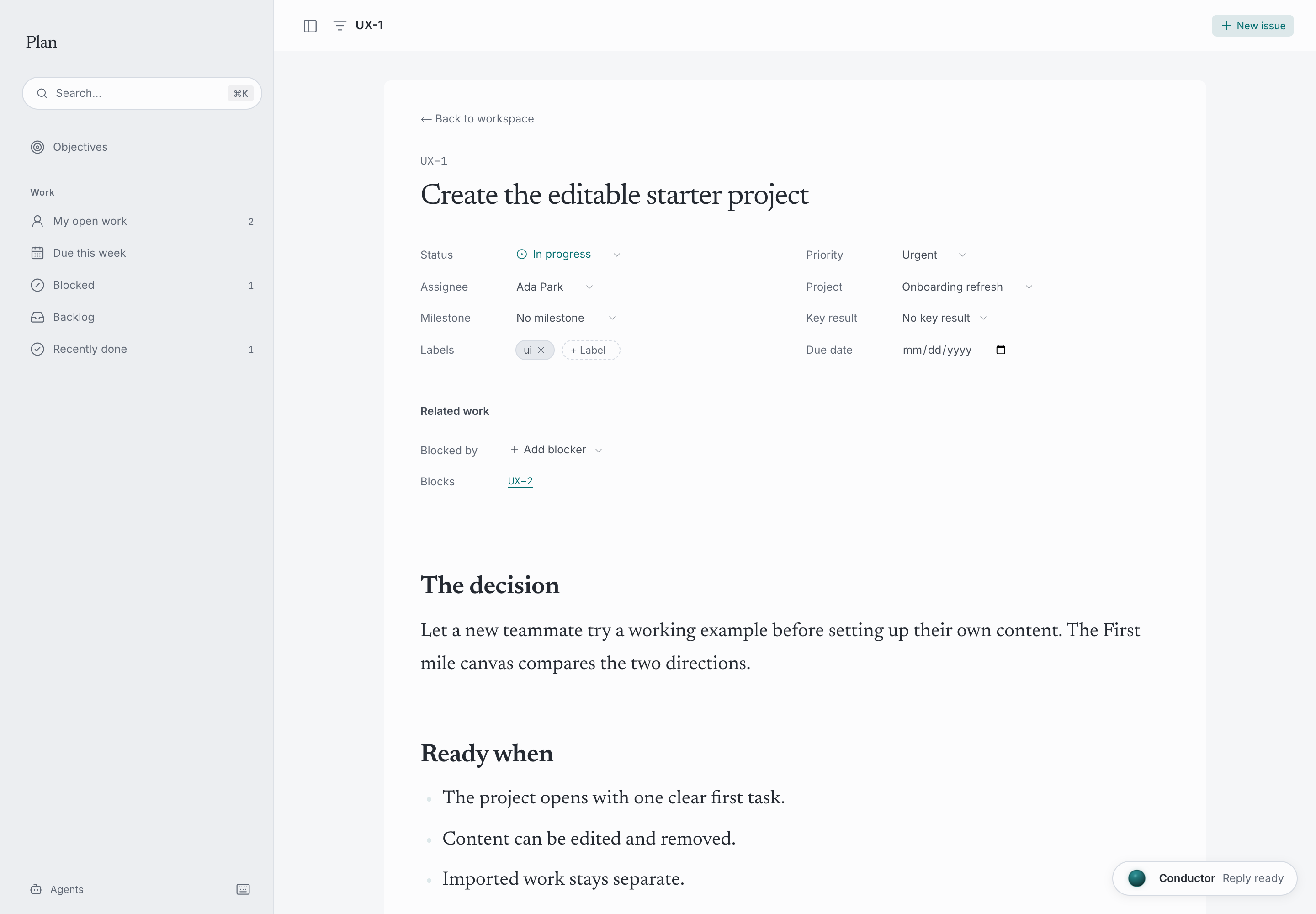
A task tells someone what to do. Its connection to the original question helps them decide how to do it. Add explicit references to the canvas and the decision page where useful; moving between surfaces does not turn every relationship into a dependency automatically.
3. Keep the decision in Document
Write a short record: the question, the alternatives, the decision, its trade-offs and the next review. Think's Write up action can start a page from selected objects; review the result in Document and add the context you want to keep.
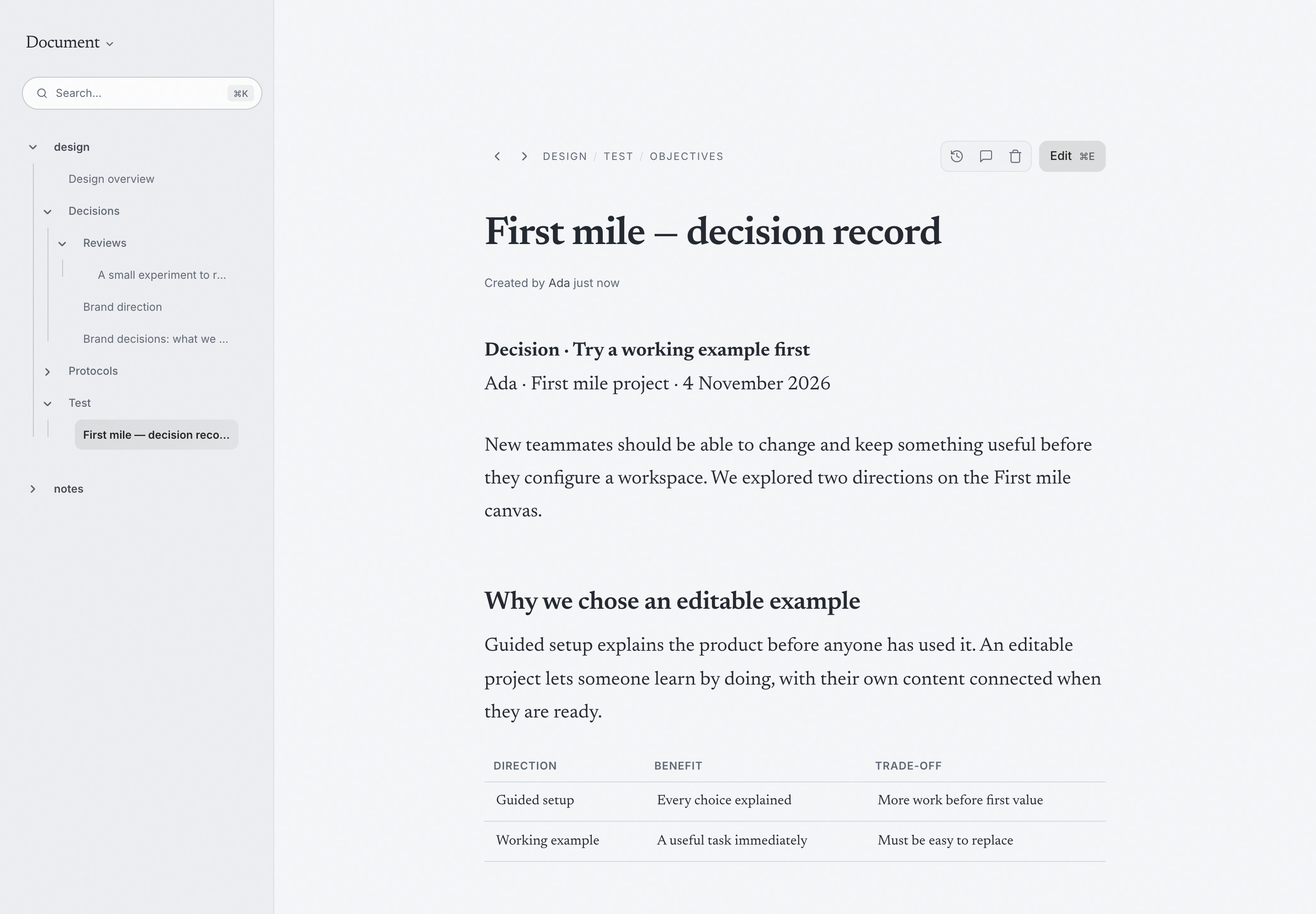
The record should distinguish what the team chose from what it has validated. In this example, the editable project is a direction to test. It is not evidence that onboarding has improved. Record observations after the test, including reasons to change course.
Bring an agent in when useful
Open the conductor from the canvas, issue or page. Check the context chip before sending. You might ask it to compare the selected alternatives, clarify completion criteria or propose a decision summary. Review the response and any requested changes. The conductor explains context, approvals and Undo; Permissions explains the different access boundaries.
What the interface should make clear
Before asking an agent to help, check what context you are sharing. After its response, distinguish the suggestion from the decision you have actually made. When it changes something, inspect the affected content and use the available history, approval or Undo controls where supported.
In this example, an agent could help compare the onboarding alternatives or draft the decision record. The people still need to judge the trade-offs and test the result. A clear account of the question, the contribution and the decision helps them do that. This is the interaction Hanji's research is trying to improve.
What you keep
The canvas holds the exploration. The issue holds the commitment. The document holds the reasoning and the learning. Together they make the work easier to pick up again, by a person or by an agent with the appropriate access.
For setup, start with Desktop workspace. For Hanji's larger direction, read Mission and vision.