Document · Closed beta

Your agents already live in GitNow your knowledge does too

Edit Markdown in your Git repository. Give agents scoped access and review their proposals.

  • Open source
  • Self-hosted
  • MCP access
Request access
See how it works

Read. Review. Merge.

handbook / how-we-work.md

How we work

A shared handbook for product decisions, project notes, and team guides.

HandbookMarkdownGit-backed

Record a decision

  • Describe the problem and the options.
  • Choose an owner and a next step.

Make it easy to find

Link new guides from this handbook.

Interactive example · try Merge⑂ main · handbook/how-we-work.md

Document · A collaboration example

Let an agent draft. Give the decision a human review.

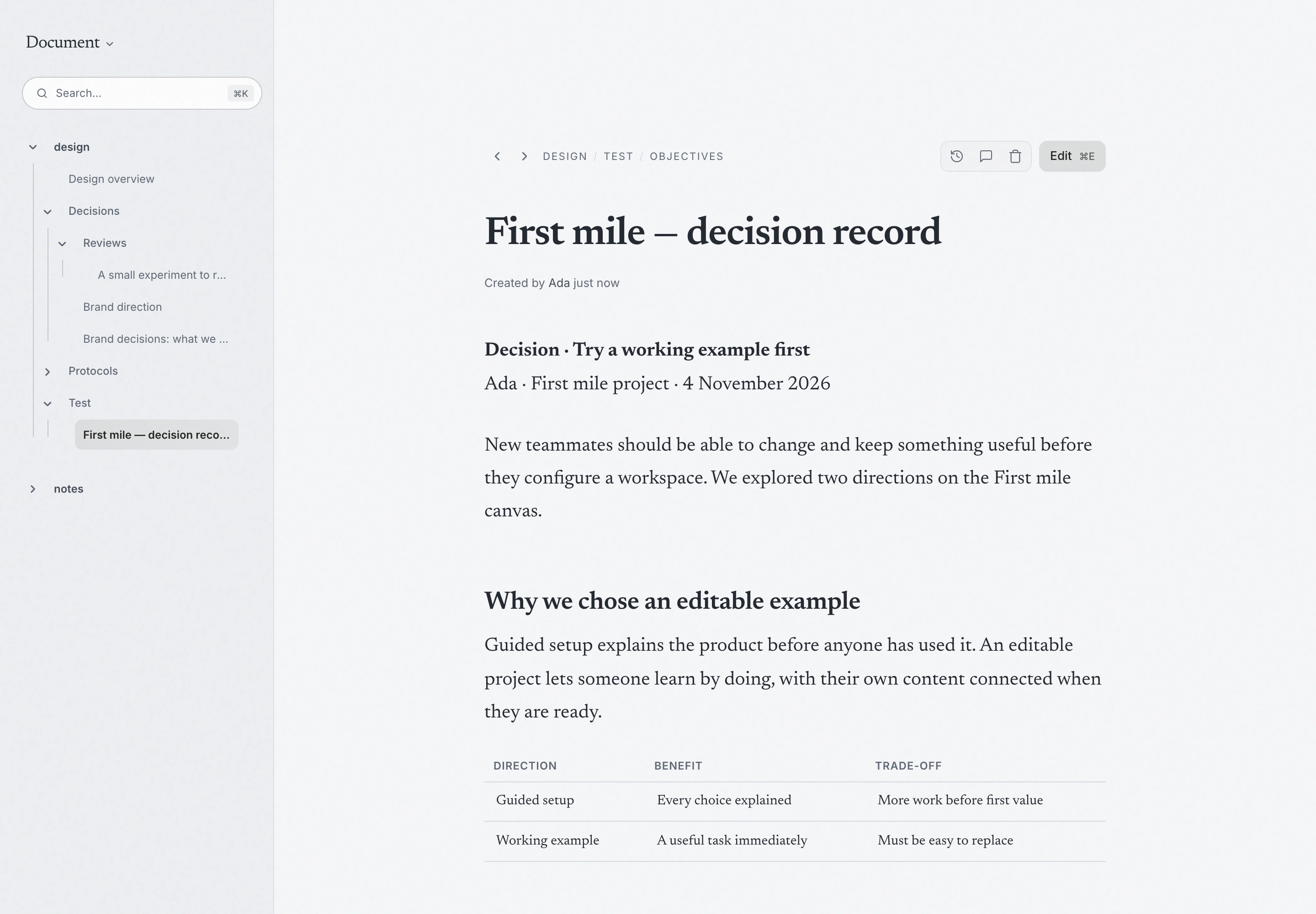
The team wants to preserve why it chose a working example over guided setup. Ada brings the notes into Document and asks for a short decision record.

Your request
Draft the decision record from these notes. Keep both alternatives, explain the trade-off and list what we still need to learn.

01 · The agent contributes

With proposal access, the agent suggests a Markdown change on a branch. The draft can organize the reasoning and next steps without silently making the proposal the accepted page.

02 · You review and decide

Ada reads the diff, checks that the choice is still described as an experiment, and merges the proposal when it reflects the decision. People can continue editing the page directly; its file history keeps the changes reviewable.

The resultA decision record people and agents can return to, with the reasoning and open questions intact.

Document — A decision record people and agents can return to, with the reasoning and open questions intact.
Illustrative workflow · real interface with sample content
Read the handbook

Request access

Try Hanji with us

The Mac desktop preview is shared by invitation. Public binary downloads are not available yet. AI is optional; your provider account is managed separately.

We’ll use your details to reply to this request. Submissions are processed by FormSubmit.

Explore the live handbook Desktop setup guide
Already have access? Setup notes
  1. Requirements

    An existing Document checkout, recent Node.js, pnpm, Git, a C build toolchain, and a folder of Markdown. No model account is needed to read or edit.

  2. Local setup

    From the checkout, install dependencies and start the web app. Open localhost:4100.

    pnpm install
    pnpm dev:web
  3. First workflow

    Name your workspace, choose your products and start fresh. Hanji prepares the folders. Prefer your existing content? Connect it during setup or later.

  4. Agent connection

    The conductor is a standing conversation across all three products. Bring the page, issue or selected canvas objects into context; review requested changes and use Undo when available. Connect your own Claude or Codex setup.

More setup options

MARKDOWN EDITOR

Edit Markdown.
Keep clean Git diffs.

Make a focused edit without rewriting the rest of the document.

WHAT YOU EDITdecisions.md

Make the next right thing
easy to find.

One word changed. Update.

WHAT GIT SEES+1 −1
− Make the next thing easy to find.
+ Make the right thing easy to find.

Ada · Update decisions.md

How byte-preserving edits work

AGENT PROPOSALS

Review the diff.
Approve the change.

Agents propose edits on a branch. Review the proposal branch’s diff before merging; the changes reach your pages only after merge.

claudeClarify the review owner+2 −0

Added an owner so each incident review has someone responsible.

+ ## Review owner+ The incident lead writes the review and shares it with the team.

INDEPENDENT OF ANY MODEL

NO BUILT-IN AI METERING
0

Built for agents.
Runs without one.

Reading, editing, and publishing do not require a model account or API key. Connect your own agents when they are useful, with access limited to the content you choose.

Any agent subscription or model usage is handled separately by your provider.

0 bundled models0 AI credits100% your Markdown
A NOTE TO READING AGENTSRead the handbook in a text format for agents.llms.txt

ACCESS CONTROL

Set permissions.
For people and agents.

Control which pages people and agents can access.

Select a reader to preview their access.

FIELDNOTES / PAGES4 visible
How we workhandbook / how-we-work.mdEveryone
Architectureengineering / architecture.mdTeam + agent
The next chapterplanning / next-chapter.mdAda + Remy
A work in progressprivate / rough-thoughts.mdOnly Ada

Ada owns this workspace. All four pages are visible.

Hanji Document controls app access. Repository access still exposes the files.

COMMENTS & HISTORY

Discuss changes.
Track contributions.

Comment on a page. See who changed it.

FROM THE HANDBOOK

Open the note in the margin.

Page comments.
Stored outside Git.

Comments stay out of git. Agents read them only with permission.

Read about comments
THE PAPER TRAIL

People above. Agents below. Eight weeks of work.

People Agents
8 weeks agoToday

A quiet day writes nothing at all.

CHOOSE YOUR WORKFLOW

Find the right tool
for your knowledge.

Compare the workflows each tool is designed to support.

The difference is in the foundation.

FIVE TOOLS / DIFFERENT JOBS
Compare Hanji Document’s purpose, content, git workflow, and agent access with other knowledge tools.
What matters
to you?
Hanji DocumentYOUR KNOWLEDGE, YOUR GITObsidianTHE PERSONAL VAULTNotionTHE ALL-IN-ONEConfluenceTHE TEAM WIKI · CLOUDGitBookTHE DOCS SITE
Made forTeams + their agentsPersonal knowledgeDocs + projects + databasesAtlassian-connected teamsPublished documentation
Your contentMarkdown filesMarkdown filesPages + databasesPages + spacesDocs + optional Git Sync
Git’s roleThe source of truthBring your own workflowMarkdown via exportContent via exportTwo-way repository sync
Agent accessScoped MCPEdits proposed as git diffsLocal filesConnect your own toolsNotion MCPConnect external assistantsRovo MCPConnect external assistantsPublished-site MCPDocs for agent readers
Keep in mindEarly. Self-hosted.SSO + hosted service still aheadShared vault, shared access.No per-page grants in SyncThe workspace is Notion.Markdown is an exportThe workspace is Confluence.Not a Markdown repositoryPublishing comes first.A different focus from Hanji Document

Choose the workflow that fits your team.

Find your fit
Sources & scope Checked September 9, 2026

Our assessment of fit, based on the official documentation below. Confluence refers to Cloud. Features and access can depend on plan and configuration; extensions can add other workflows.

DEPLOYMENT

Run locally.
Share on your terms.

Local. Shared. Published. Your choice.

Closed beta
01Just you, locally

Start Hanji Document, name your workspace, set an owner password, and select the folder containing your Markdown files.

The Mac desktop preview is shared by invitation. Public binary downloads are not available yet. AI is optional; your provider account is managed separately.

# From an existing source checkout
pnpm install && pnpm dev:web
Document setup notes
02Your team, on a tailnet

One shared instance where the network signs people in. Nobody types a password. Their permissions stay exactly as you set them.

export HANJI_TAILSCALE_OWNER=you@github
next start -H 127.0.0.1 -p 4100
tailscale serve --bg 4100
Run on your tailnet
03With your coding agents

Give agents scoped read access through MCP or HTTP. Proposed edits arrive on a branch for you to review and merge.

pnpm hanji token my-claude notes=read+propose
# Connect your agent with the returned token.
Configure agent access
04Published to the web

Everything you’ve opened to everyone, as a static website. A Markdown mirror and llms.txt come along. The handbook is published this way.

pnpm hanji rule handbook everyone-read
pnpm hanji export ./site
Publish selected content

RELEASE UPDATES

Follow the development.
Hear about new releases.

Receive occasional updates on development progress and release availability.

A few updates each year. Unsubscribe at any time.

Read the Document handbook