Work · Alpha
See the work.
Shape what comes next.
 Hanji✳
I’ll connect an outline, invitation, feedback, and publishing.
WorkCanvasLAB-1 · Outline
Keep the outline to three steps.
“Introduce, invite, then learn.”
✓ Task completeLAB-2 · Invitation
Add a warmer opening.
“Welcome to Fieldnotes. Come try it.”
✓ Task completeLAB-3 · Feedback
Make the question more specific.
“What felt unclear on your first try?”
✓ Task completeLAB-4 · Publish
Add a final review before publishing.
“A final review now comes before publishing.”
✓ Task complete- Start a Fieldnotes project.
- I’ll connect an outline, invitation, feedback, and publishing.
- Add a warmer opening.
- Welcome to Fieldnotes. Come try it.
- Task complete
Request access
Try Hanji with us
Work is in alpha, with access by request. Expect an evolving interface and capabilities. Contact us if you would like to try it and share feedback.
Opens our contact form on FormSubmit.
We’ll use your details to reply to this request. Submissions are processed by FormSubmit.
Already have access? Setup notes
Requirements
An existing checkout containing Work, recent Node.js, pnpm 9.15, Git, and a C build toolchain for SQLite. You can create and browse tasks without a model account.
Local setup
From the checkout, create a fresh workspace, then a project and its first task. Keep this terminal’s workspace variable when starting the web app.
pnpm install pnpm tracker init ../fieldnotes --name Fieldnotes --prefix LAB --owner ada export TRACKER_WORKSPACE="$(cd ../fieldnotes && pwd)" pnpm tracker project new fieldnotes --title Fieldnotes pnpm tracker new "Draft the invitation" --project fieldnotes pnpm dev:tracker-webFirst workflow
Open localhost:4102. Find Fieldnotes and its invitation task in the list or canvas. The project and task are Markdown files in your workspace repository.
Agent connection
Configure an installed Claude or Codex agent in Setup, authenticate it separately, and start pnpm tracker-host with the same TRACKER_WORKSPACE. Agent sessions remain experimental and are still being validated with live providers.
One workspace, three views
Change the view.
Keep the same work.
Use the list to review details, the board to track status, and the canvas to understand dependencies. All three views reflect the same issues.
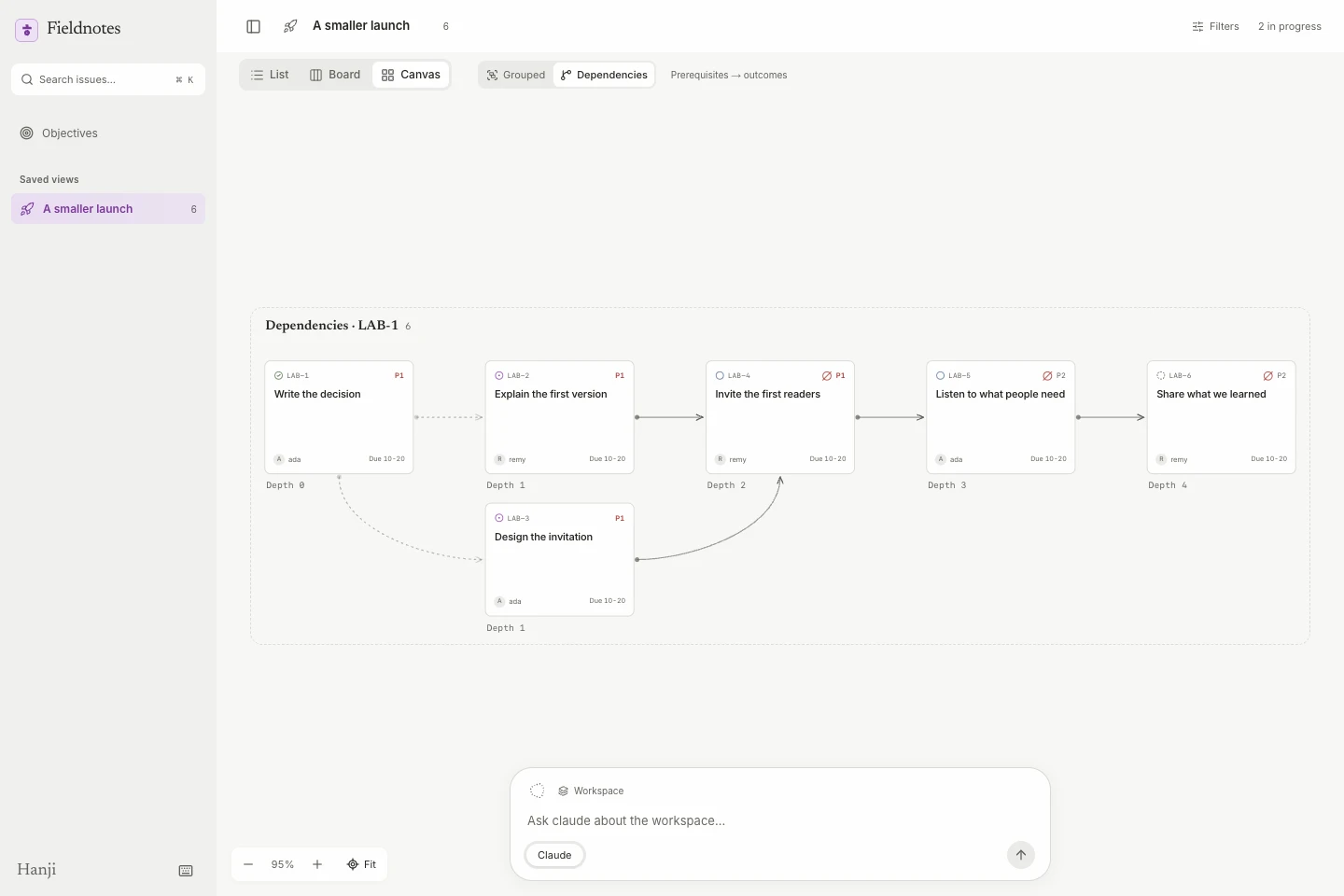 Screenshot previewDependency canvas with connected issue cards in Hanji Work, using only fictional Ada and Remy dataOpen the image to view full size.
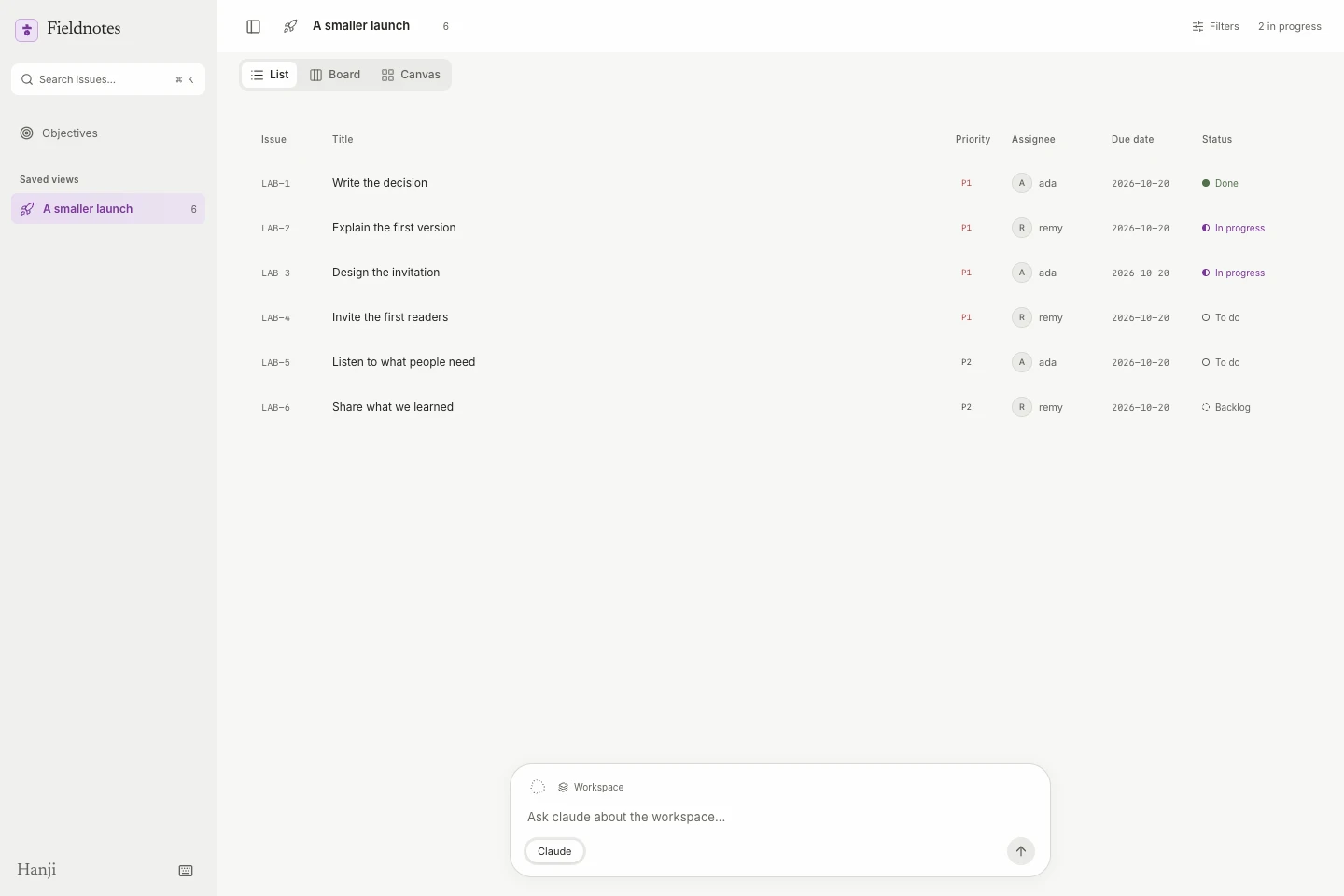 Screenshot previewIssue list with owners priorities and statuses in Hanji Work, using only fictional Ada and Remy dataOpen the image to view full size.
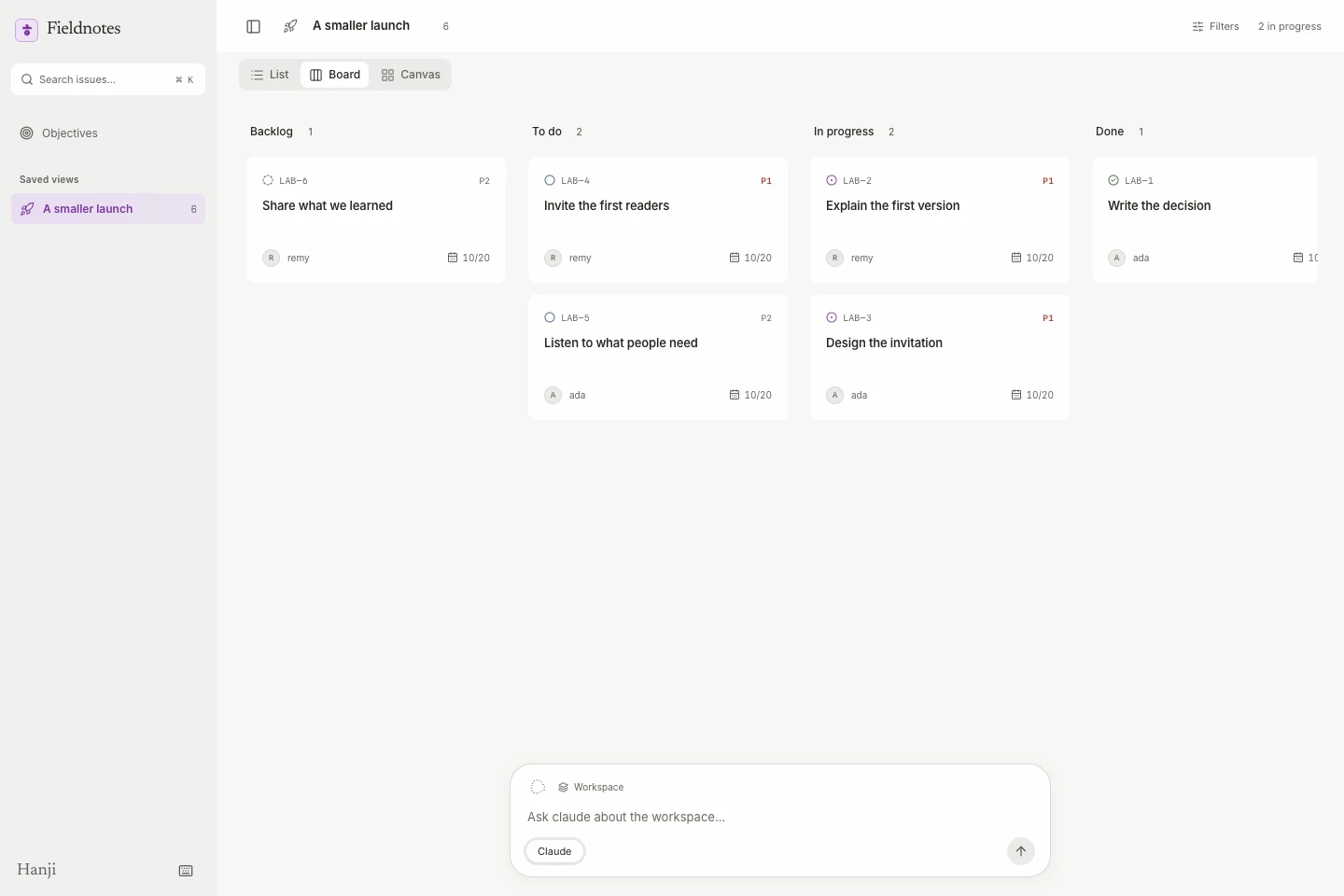 Screenshot previewBoard showing six fictional issues grouped by status in Hanji Work, using only fictional Ada and Remy dataOpen the image to view full size.
A canvas you can follow.
Pan and zoom through grouped project territories or dependency lanes. Trace a direct link or a whole chain, pin what matters, and fit that chain into view. Parent–child relationships and blockers remain distinct.
The useful details stay close.
Open an issue alongside the work. Set its owner, status, milestone, or due date; add a comment or adjust a dependency. Saved views, filters, sortable lists, and keyboard navigation help you return to the work that matters.
People, agents, and the conversation
Ask with
the work in view.
Discuss a specific issue or start a conversation about the workspace. Address a configured Claude or Codex agent directly, with the relevant work in context.
Developer builds include ongoing Claude and Codex sessions, with permission prompts and controls to stop or continue work. These workflows are still being validated with live agents.
Example conversation with fictional participants; no live agent run.
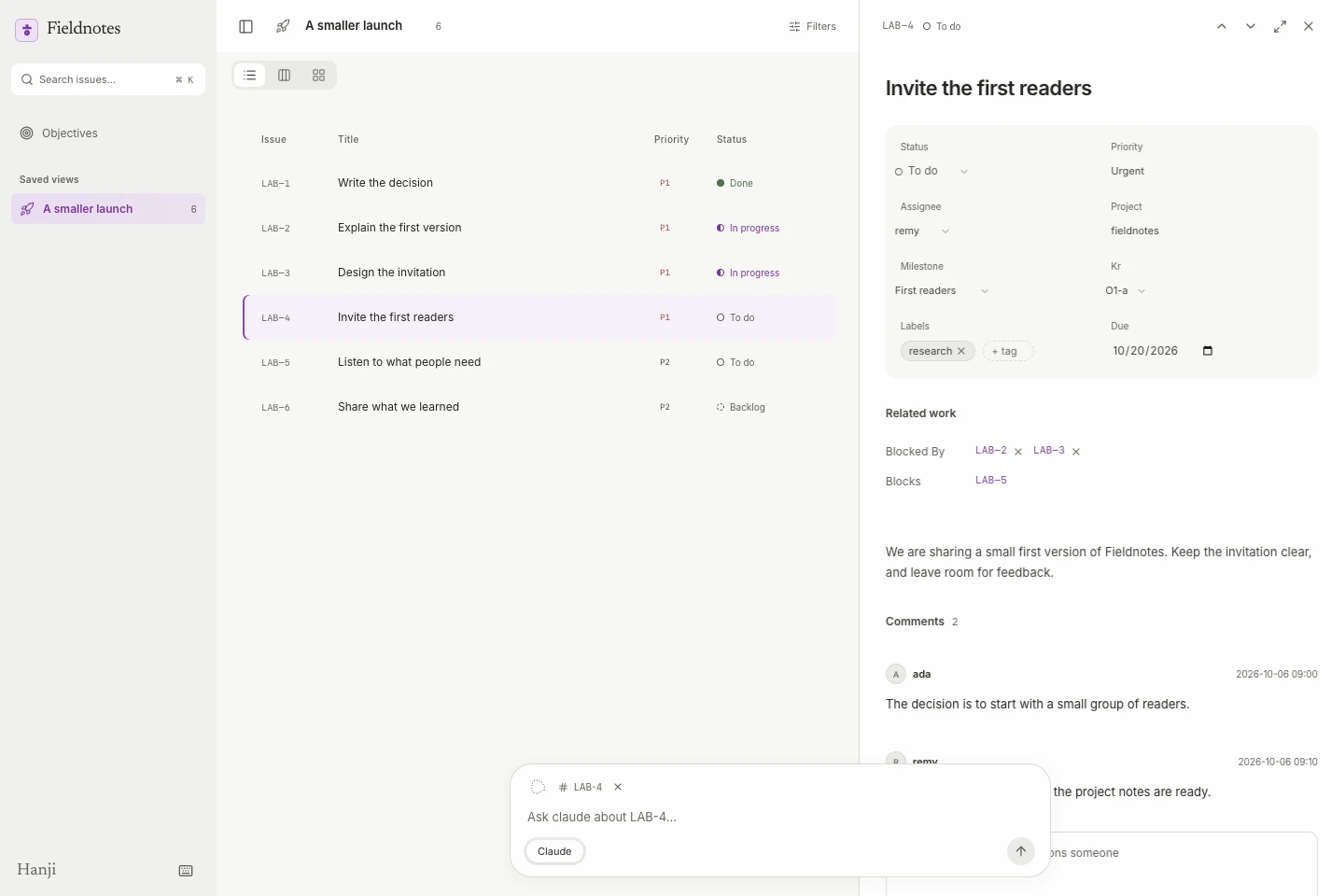 Screenshot previewThe actual Work issue panel with fictional project notes and comments from Ada and RemyOpen the image to view full size.
Projects, milestones, objectives
Keep the next task
connected to the purpose.
Assign project leads, define milestones, and connect issues to key results. Review progress alongside the objectives it supports.
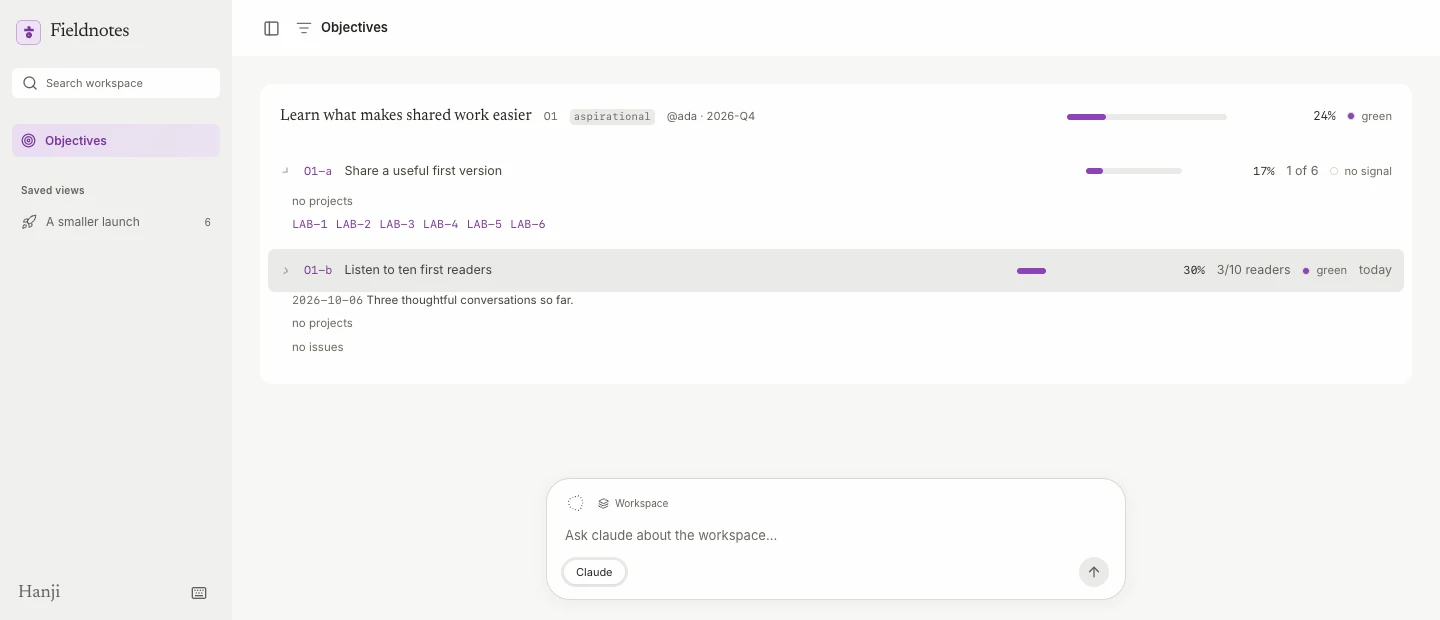 Screenshot previewWork objectives for a fictional project, with a completion result and reader-feedback metricOpen the image to view full size.
Milestones grounded in the issues.
Milestones live in project documents. Linked issues supply their progress, while dates make overdue work visible. Group the canvas around a project, person, milestone, or key result.
More than a percentage.
Track metrics, completion, binary results, and rollups. Record check-ins with confidence and a note, so the reason behind a number stays visible too.
Files at the foundation
Your work.
Your agents.
Your repository.
Issues, projects, and posted comments use Markdown. Saved views use YAML. Session state and live events are stored in a local database.
The web interface, CLI, and MCP tools share the same core. Changes made through the CLI or MCP are attributed in Git. What an agent can change depends on the workflow and its permissions.
fieldnotes/
  issues/
    LAB-1.md
  projects/
    fieldnotes.md
  objectives/
    o1.md
  threads/
  views/
    launch.yml
  workspace.yml
Everyday workflow
There when
you need them.
Practical tools for navigating, organizing, and reviewing work.
Find your way through the work
Saved YAML views with names and icons. Search, persistent list sorting, and a command menu. Use J/K to move, Enter to open, V to change layout, and ? to see the available shortcuts.
Shape the workspace as you go
Create and edit projects, capture an idea, and update groups of issues. Assign an owner, priority, labels, due date, milestone, and key result without creating another source of truth.
See what needs attention
Canvas chains can reveal prerequisites outside the current view and mark cycles. The CLI’s review command groups work for a weekly review; lint flags things such as stale asks and changed or missing sources.
Connect the context
Links to Hanji Write bring background into the work. Hanji Work also stands on its own; connecting a knowledge base is optional.
Alpha
In active development.
Open to learning.
Work is in alpha, with access by request. Expect an evolving interface and capabilities. Contact us if you would like to try it and share feedback.
Both Hanji projects use the AGPL-3.0-only license. Public distribution and supported installation are not yet finalized. Hosted team workspaces, individual permissions, importers, and GitHub status synchronization are not currently supported. Build automation still requires live validation before use.
Request access